Clash of Clans armies
An army catalog in the Telegram bot @CoC_topbot (interface in Russian): pick a Town Hall and a goal, copy the army and paste it into the game.
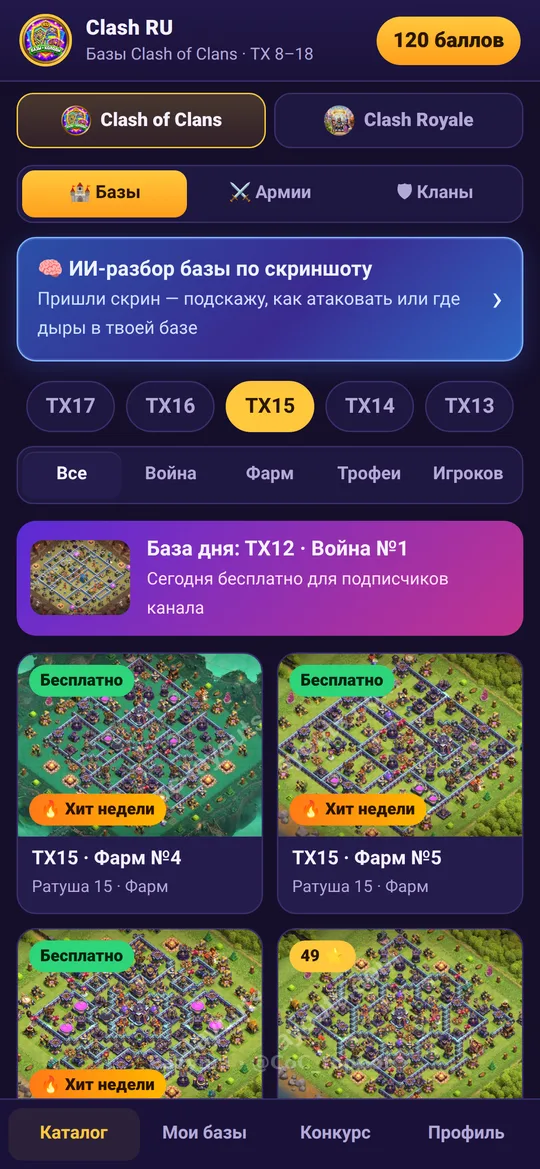
How the catalog works
Compositions are grouped by Town Hall, so you do not see an army you cannot build yet.
- Open the bot @CoC_topbot and the Armies tab
- Pick a Town Hall and a goal: war, farming or trophies
- Copy the composition in the bot
- Paste the army in the game and check every troop and spell
How to pick an army
There is no single best army: it depends on the enemy base and your heroes.
- Look at the enemy base: air, ground or a mixed attack
- Check hero and troop levels, an army is weaker without them
- For war use a proven army, for farming a cheap one
- Practice the attack in friendly challenges
Pair it with bases and review
An army is stronger when you know the weak spots of the base.
- The base catalog shows what players put on defense
- AI review from a screenshot finds weak spots and traps
- The clan board finds a clan for your Town Hall
- In @chatclashofclans you can ask other players
FAQ
How do I copy an army into the game?
Copy the composition in the bot and paste it in the game. Check that every troop and spell is in place.
Is it free?
The bot is free to open. Part of the content is open right away, the rest unlocks with points that come from friends, codes and activity.
Does it fit my Town Hall?
The catalog covers Town Hall 8 to 18.
Do I need to install anything?
No, everything works inside Telegram.
More pages
Clash RU community
Clash of Clans chat · Clash Royale chat · News · Find a clan · Chat games · Games and heroes: commands · Chat energy · TH13 bases · TH14 bases · TH15 bases · TH16 bases · TH17 bases · TH18 bases · Armies · AI base review · Clash Royale decks